Add text to a PDF vs edit the existing text
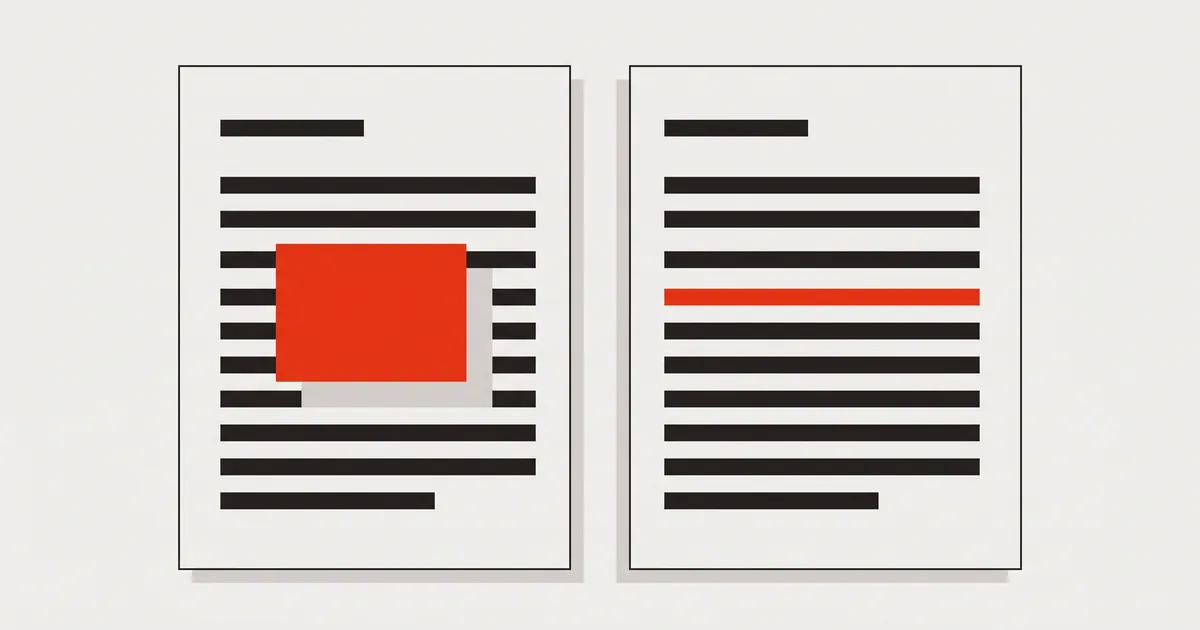
Adding text puts a new object over the page; editing rewrites the words that are already in it. What each one does to the file, and when you want which.
Two buttons that sound the same do very different things to your file. Adding text to a PDF places a new object on the page — a small drawing instruction that says "put these glyphs here". Editing the existing text removes the original instruction and writes yours in its place. On screen the results can be pixel-identical. In the file they are opposites.
That difference is why a corrected invoice can still show the old total when somebody searches it, and why "I edited the PDF" is not always a claim you can rely on. Here is what each operation does, how to see which one you got, and when each is the right choice.
What adding text to a PDF does to the file
A PDF page is a sequence of drawing operations, described in the ISO 32000-1 specification that every PDF tool implements. Adding text appends operations to the end of that sequence — after everything already on the page, which is why the new text lands visually on top.
The original text is untouched. It is still in the page, still in the same position, still the thing that search, copy-paste and automated readers find first. If your new text sits over the old, the file now contains both versions, and the one a machine sees is the one you wanted gone.
Many tools hide the old text with a white rectangle first. That is a second drawing operation, not a deletion: it covers the words for a human and does nothing for a parser. It is also visible at high zoom as a patch of slightly different white.
What editing existing text does
Editing works on the instruction itself. The tool finds the text run containing the words you clicked, removes it, and writes a new run in the same place with the same font, size and position. Afterwards there is exactly one version of that sentence in the page.
This is harder to implement, which is why fewer tools do it: the editor has to parse the content stream, understand the font — including subset encodings, where the glyph for "7" may live at an arbitrary code — and re-emit valid instructions. When the embedded font cannot represent a character you typed, it has to substitute a metric-compatible face rather than shift the whole line.
It is also the only version of "editing" that survives contact with software. Search finds your text. Copy-paste returns your text. An accounting importer reads your number.
Side by side
| Add text | Edit existing text | |
|---|---|---|
| What changes in the file | A new object is appended | The original run is replaced |
| Original words | Still there | Gone |
| Search and copy-paste | Find the old text | Find your text |
| Visible at 800% zoom | Often, as a patch | No — same drawing style as the page |
| Needs the original font | No | Yes, or a metric-compatible substitute |
| Right for | Blank space, notes, stamps | Corrections to what is written |
| Wrong for | Fixing a number | Filling an empty line |
When adding text is the right answer
Adding text is not a lesser tool — it is the correct one whenever there is nothing to replace:
- Empty space on a form that has no interactive fields. Typing on the page is the whole job; see how to fill in a PDF with no form fields.
- A note, label or reference number you are adding for the recipient.
- A scanned page, where the "text" is pixels and there is no run to edit at all.
- Outlined text, converted to shapes by a print pipeline — same situation.
In all four cases the honest description of what you did is "I added text", and nobody is misled.
When you need a real edit
You need the text in the page rewritten whenever the document will be read by something other than a person's eyes:
- Numbers. An amount, a date, an invoice number — anything that might be copied, imported or reconciled.
- Names and addresses. They get searched.
- Contracts and anything archived. The archive indexes text. Two versions of a clause in one file is a problem nobody wants to discover later.
- Accessibility. A screen reader reads the text in the page. An overlay leaves it reading the old wording.
The rule of thumb: if the words already exist and you want them to stop existing, adding is not enough.
How to tell what a tool actually did
Do not trust the interface — check the file. Export it, open the result, and run three checks:
- Search for the old text. Still found? You have an overlay.
- Select the new line and copy it. The clipboard should contain exactly what you typed, accents included.
- Zoom to 400–800%. Overlays reveal themselves as rectangles of slightly different white, or a hairline where the patch ends.
Twenty seconds, no tooling. If the old text is still in there, this walkthrough of the overlay problem explains what to do about the file you already have.
Doing both in one editor
The two operations are not rivals; a document usually needs both. In PDFinline they are the same session: click an existing line to rewrite it in place, or pick the Text tool and click empty space to add a new line. Both are exported as real text, and the added line uses a metric-compatible font so it looks like it belongs.
You can also move a line rather than retype it somewhere else, which keeps the original font and encoding — worth knowing, because retyping a line in a new position is the most common way people accidentally end up with two copies of it.
FAQ
Is adding text to a PDF ever a problem in itself?
No. It becomes a problem only when it is used as a substitute for changing what is written — a correction that leaves the original in the file. As an addition to blank space it is exactly right.
Does a white rectangle over the old text count as removing it?
No. It is a drawing operation on top, so the text underneath is still in the page and still findable. For anything sensitive, that distinction matters: covering is not redaction.
Can I edit existing text without the original font?
Yes, with a caveat. A metric-compatible substitute keeps the same character widths, so the line does not reflow, but an unusual glyph may not exist in it. A good editor tells you when it substituted rather than doing it silently — see why a PDF can refuse to be edited.
Will the edited text stay searchable and selectable?
Yes. It is real text in the page, so search, copy-paste, screen readers and parsers all read your version — which is the entire reason to prefer editing over overlaying.
Does either operation change the rest of the page?
Editing rewrites only the run you touched; everything else stays as it was. Adding appends and changes nothing existing. Neither re-lays out the document, which is the practical advantage over converting to Word and back.
Does either one interfere with merging or reordering pages?
No. Both live inside a page, so pages can be moved, deleted or merged in any order afterwards without touching the text.
Which one do online PDF editors usually do?
Most do the first. It is much simpler to implement, and it is why "edit PDF online" so often produces a file that still contains the old wording. Checking is quick, and worth the habit.
Final thoughts
"Edit" is doing a lot of work in most PDF interfaces. Once you know that adding text and rewriting text are separate operations with separate consequences, you can pick deliberately: add where the page is empty, rewrite where the words are wrong, and verify the export either way. The file — not the screen — is what other people's software will read.